Today I'm talking with Gabrielle Krake, a Starship Captain and the owner & designer of Bee Wise Goods.

Today I'm talking with Gabrielle Krake, a Starship Captain and the owner & designer of Bee Wise Goods.
Every day is an adventure. I share the view, the gratitude and the news on Fridays – you’re invited to join in. You can find all my adventures here, or follow along via email here.
Check this out:
Don't forget!
The Starship is open for just one more week! Check it out here.
When you start making your work and selling it, you wonder if it's going to go anywhere. But you start. And you build. And then…you still wonder if it's going to anywhere. If it's going to be any of the things you dreamed it could be.
Business is daily. Ownership is a constant process of making, tweaking, experimenting and reassessing.
So you get dragged down. You get disappointed. Your doubts bubble up.
Instead of just wondering, now you're downright doubting.
Could this work?
Does this work?
How in the heck will I know what works?
You are not alone.
Everyone doubts. Everyone feels totally lost.
Doubting is not a sign that you're not going to make it. It's an indication that you're doing something worthwhile.
There are two parts to this:
1. YOU CAN DO IT.
2. It can be what YOU want (not what others have or think you should have).
Seriously. Amy's doing it. Ana's doing it. Katie's doing it.
You can do it. (You don't have to be exceptional.)
No, it's not easy.
No, even though they've reached the goals they set a year ago…they're not done. They're not content. They're setting new goals and working just as hard as ever.
As long as you clearly define what “it” is for you (the kind of business you want), as long as you take responsibility, as long as you commit to doing the hard work consistently and strategically: You can do it.
Will it be awesome?
Yes.
Will it be everything you imagined?
Probably not.
Will you change your mind once you get “it”?
Probably. (Definitely.)
You can build exactly what you want – whether that's quitting your job, or filling your savings account, or going out to eat more often. Whether you wanna wholesale, do craft shows, or never leave your house. Your business can look any way you want. You don't have to follow anyone else's rules and you don't have to achieve certain markers of success.
The thing is, this is the ONLY way to do “it”. This is the ONLY way to have a business you love.
Define what you want.
Pursue it.
Review what's working.
And repeat.
Even when you doubt, even when you succeed, even when you change your mind completely (hey, it happens). There are other makers, writers, and designers who are going through it. If you'd like to get together with them, talk about it, celebrate with them and generally feel less alone and less overwhelmed, The Starship is now open.
In the Starship, you'll be guided to define exactly what YOU want in your business. You'll create a plan (with our help!) to get there. You'll review and experiment and build on what's working. All with some one-on-one help from me, and the encouragement and insights from over 3 dozen other gals who have been there. You'll quash those doubts and know what to do and if it's worth it.
You can join here.
This means that although I write about the journey of my own business exploration, I don't do a lot of recommending, or telling you specifics of what I do. It's not that I don't want to share, it's that I don't want you to get distracted by what I use instead of figuring out what works for you.
That said…I love reading these kinds of posts. And there are a few questions that I end up answering via email and Sessions, so I'd like to put all the answers in one place. (This was inspired by Elise's Baby FAQs. If you have a new baby, you should read this).
Keep in mind – this is what works for me, with my specific business. I work with many creatives who use an entirely different set of tools.
(You can ask them directly, inside the Starship – which opens tomorrow. Sign up here if you're curious.)
My domains are registered with NameCheap. Nathan does my hosting + WordPress pampering. My entire website is built on WordPress. I love it and tell everyone to use it. (Even my mom can use it easily for her site.)
I built my first few websites on my own, with a combination of free WP themes + a couple of edited images (BCB is all me, baby). If you can add some text to an image with Gimp or Photoshop, I highly recommend DIY-ing it until your business can afford to hire a designer. Why? Because you'll want to know how to do absolutely everything in your business.
Even so, there are many things to keep in mind to make your site as effective as possible. Be ready to tweak it endlessly and make it better and better. I go over the necessary parts in detail in Market Yourself, so if you want more, check out Chapter 4.
That said, at some point, you are going to want your site to match the awesomeness of what you sell. And unless you sell website design, you probably can't do it on your own. Once your business has started to make a profit and pay you, then think about hiring a designer.
The one thing I wish I would have understood earlier?
There's a vast difference between a “website” and a “visual brand”. Getting a website designed does not mean that your company has a visual brand. So if you're totally graphically-thinking-impaired (as I am) – you probably want someone to create a visual brand for you, before you worry about website design (you can always implement their branding into your existing website.)
Right now I'm working with Jessika to create a visual brand and I love her. The main thing is to find someone who's aesthetic truly matches your own and who gets you AND your community. Jessika totally nailed my visual branding in the very first try.
(You're going to see it soon!)
For the past 3 years I've used a combination of PayPal buttons + E-junkie buttons (with my own button images.) Paypal is quick and easy. E-Junkie is also super-quick and has the added benefit of sending an automatic email with the info you need when you join a class or buy a download. (But it does cost at least $5/mo.)
Next month I've moving everything to WooCommerce, which will also let me send you an automatic download and will have the added benefit of everything being in one place. (This has been the biggest failing of this website so far – there's not a very clear “this is what I sell” space. You can find it all linked here, but that hasn't been effective at communicating it. How do I know? I answer the question “How can I work with you?” weekly.)
However, if you have a product-based business, I suggest you go with something that “manages” your shop for you and is super-easy to add items to. I recommend most brand-new-to-online-selling folks use Etsy. After you get the hang of that and you build up your own audience (through your own site and newsletter), then move over to your own shop, with Big Cartel or one of the other options. There are many, and I haven't tried any of them, so I recommend asking other makers. (We have a thread on this in the Starship.)
You know I heartily believe everyone should be communicating with their biggest fans via email (I talk a bit more about it in this podcast). And that autoresponders are the easiest way to get everyone on the same (ready-to-buy) page. I love Mailchimp for managing all of this. I've been with them for 5 (!) years and couldn't be happier. A few of my students found it overwhelming, so they went with TinyLetter which is much simpler.
Even though I have a Number One (a virtual assistant), I do ALL of my own writing. That includes the blog, newsletter, and everything I post on Twitter, Facebook and Instagram. Everything you see online is actually me.
I think it's important to get that out of the way, because there seems to be an assumption that people get assistants to deal with social media. And to me, this makes no sense. Social media might be the first place you meet me (either because someone you follow retweets me or tweets directly to something I made), so why would I want that first impression to be anything but personal?
That said, it makes sense to make sure that what I write actually gets seen by my followers, so I use Hootsuite to schedule some Twitter + Facebook posts. It's very simple (and free) and I like that it allows me to share a zillion things as soon as I find them (which is often all at once), without overwhelming you, the reader. It also allows me to share a new blog post a few times a day, whether I'm online right then or not.
Even when I'm posting in “real time”, I don't hang out afterwards to have conversations. Instead, I log on to reply and have conversations when I have the time throughout the day (taking a break from other work, standing in line, etc). This time-shifted conversation is exaclty why I like Twitter! Although some conversations do happen in real time, I don't think anything's lost by time-shifting it.
What is gained is a lot more productive time and keeping my focus. While I love having conversations and connecting (love it!), I can't let it take over the equally-important creation time. To keep it reasonable, I often work with a Pomodoro timer (and go to social media on 5 minute “breaks”) and I have Nanny for Chrome installed. (But I very rarely trigger it.)
There is SO much software out there for e-course development…and I actually use a lot of it!
The easiest way to hold an e-course is to load your content into an autoresponder in Mailchimp and when the person buys, send them an email with the sign-up page for the email list. I've used E-junkie to automatically send this email immediately. This is how my Automagical Emails class works.
That'll work for an independent study class, but what if you're holding the class “live” and you want everyone to discuss things? For a fixed-time class with automatic course delivery (you load it in and it goes out on your schedule), I really like Ruzuku. I used it for the last live Pay Yourself and for Explore You and the students really seemed to like it.
Now, that works for a specific timeline of the class, but for an ongoing community (like the Starship), I use Ning – which provides both the forum we use for conversation + a live chat space. You can also use a private Facebook group for this, but I find it a little more difficult to track the conversations and I don't like that things aren't archived and easy to search for. There are multiple WP plugins you can use to create a forum + community on your own site, but I haven't found one that works as intuitively (for the user) as Ning.
I'd love to hear if you have a favorite?
Here's the system I use to plan everything from my big years-long goals to my daily to-dos:
At the beginning of each year (and again at my birthday in June), I think through all the high-level stuff, using the Chart Your Stars Guide (available only in the Solo Mission or Starship). I set big goals and try to list all the little things I wanna do.
Each quarter, I use the Star Chart to pick a Destination. This is my Big Focus for the next three months. I use the Map Making Guide to break it down into all the Mile Markers and tiny To Dos. (I also review the last quarter so that I can learn from what did and didn't go well.)
(This is also when I create a content calendar and start filling it in.)
Each month I review where I am and what I need to do to get to my Destination (I send these reassessment questions out to the Solo Mission + Starship). I use it to figure out what I need to get done this month. (Often I've already set deadlines while Map Making, so this is already mainly figured out for me.)
Each week, I make a Master List of everything I wanna get done this week. I double-check to make sure there are actions moving me towards my Destination + all the little stuff that has to be done week in and week out. (Blog posts, email ketchup, shipping books)
Each day, I check my weekly list and pick things from it to do today. I write a new To Do list everyday. I try to keep it reasonable (what I could really get done that day), but I find I actually get more done when I have more listed. (When I have few things listed, my brain thinks: Oh, you have 8 hours to do 3 tasks! You should read quilting blogs for a while!) I do star the things that HAVE to be done today and there's NO guilt if other things don't get done.
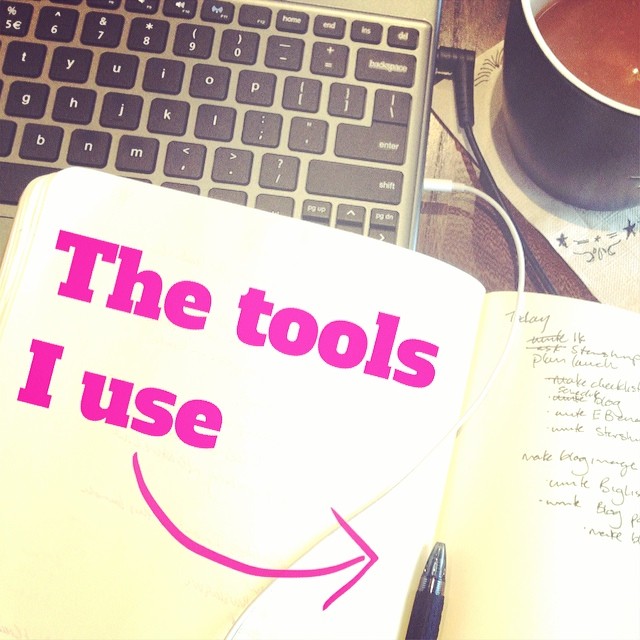
The actual TOOLS I use to do all of the above:
Every (workday) morning, I write, at least 750 words, using 750words.com and a Pomodor timer, while listening to Spotify (usually this playlist). Sometimes I use this time to write blog posts (like this) or email lessons, it's often on a bigger, less immediate project. Sometimes I just write out any problem-solving/thinking I need to do. (But I wouldn't call this a journal or free-writing, as I almost always write with an audience in mind, even if the audience is myself.) If I want to keep what I wrote, I copy it into an Evernote note.
Two to three days a week I have a second writing time, after my Morning Writing. While Morning Writing is dedicated to the writing I might skip once the day gets started (writing for the new book, thinking through a deeper subject, anything that doesn't feel immediate), the second writing chunk is usually devoted to my current projects – my “work” (blog posts, email lessons, class material.) I make the distinction in order to not let the everyday writing edge writing about whatever I'm enthusiastic about, whether it fits into my content calendar or not.
I use Gmail for everything. When I have a pile of emails that I don't need to deal with right now (but I will need them in the future) or when my inbox just gets overwhelming, I use the Email Game to sort through them and boomerang messages back to me in the future.
That's basically it, I have no special email skillz. I try to close my inbox when I'm not directly writing or replying, and I set aside time once or twice a day to check it (I get no pings or alerts when an email arrives) for questions from customers. Twice a week I go through and answer everything (or delete it, or boomerang it). I spend a long time crafting useful answers to everyone who writes, so it's important that this both gets my attention and that it doesn't take over my life.
You already know that I do all my own writing and “showing up” in the online world, so what does Jess do? She makes everything better and she makes sure everything works right.
(I wrote a bit about this when I hired her.)
In other words, whenever you interact with me, via reading my writing or emailing me your question or taking a class, you're interacting with me. And I have time to write long, thorough (free) answers to 5-10 non-clients every week, while writing 2 email lessons (one for free here, one for Starship members) and 2-3 blog posts each week, creating a new class every quarter, traveling + teaching around the country every few months – because Jess is doing all of the other not-writing stuff. Since hiring her, every area of my business has increased: my own output, my reader stats, and my sales.
How? I'm now focused 100% on doing what only I can do, and she makes sure my work looks (and reads) its best*. (I don't actually work any less hours now than I did before, I just spend my hours on more effective work.)
*She didn't edit this blog post, so all typos are my own fault.
I recently got a Chromebook and I LOVE it for writing + traveling. It's super-light and I can fit it in my purse. I do 90% of my work on it. When I want to edit docs or videos, I use my very 4 year old Toshiba laptop. I take all photos with my iPhone 4s.
Phew! That's a lot of tools + systems!
If you write about them on your blog, leave the link in the comments!
The usual disclaimer applies!

I resist writing about using social media, because I find that many (most?) new business crafters get totally distracted trying to get it “right”. So before I go any further, let me totally clear: It is MUCH more important for you to make your product and make it available for sale, with clear compelling descriptions and photographs.
Get really good at doing that, consistently, before you worry about other tools. Seriously.
That said, I get asked about Instagram, Pinterest or (to a lesser degree) Twitter in every Flight Plan Session, by established business owners. Over the last year, I've written up answers to the most-asked questions, so today I'm going to collect it all in one place.
If you're going to use social media for “business” purposes (and not just chatting with your internet friends), make sure it aligns with your overall goals and your you-filled brand. I go into detail on how to do this in my book, along with how to experiment with different tools to find one that works for you.
“This pathway of connection includes absolutely every way you interact with people who may or may not be your right people – your blog, email newsletter, social media, guest posts, sales pages, and (once they cross over into Right People territory and pay for something), your connection pathway continues through your products, classes, clubs, retreats.”
Read about creating this path here.
“The magic of Instagram is that it feels personal. It allows you a peek into my world, through my eyes. Instead of approximating the beauty (or quirkiness) of what I’m looking at with words, I can quickly show you.”
Today I've got a post on how to use Instagram in your business, over at Sarah Von Bargen's site.
You can read the whole thing here.
In reply to a question I received, I put together four ideas (via video!) on using your Pinterest account. You can watch it here.
“Social media is not the solution to your business problem.
It is not going to quickly improve anything (in fact, it’s going to take time to build an audience, time that might be better spent on building a community of buyers.)”
You can read the rest of this post here.
Got a social media question? Ask it in the comments and I'll answer!
A few weeks ago two amazing things happened: One Starship Captain was featured in a big national magazine and another Captain was interviewed on a HUGE blog.
But then, something weird happened. Their sales didn't increase. So they both asked the same question: What happened? Did I do something wrong?
I wrote the following inside the Starship to answer their questions, but I bet this applies to you too! (Got your own question you want answered? The Starship opens again next Wednesday. Sign up here to find out!)
However, be encouraged that this has done something for your biz. Even if the reader never clicks through to your site, she has now heard of you – from a source she trusts! – and when she comes across you again (by googling, seeing your ads, seeing you mentioned on social media) she'll be that much more likely to remember you, trust you, and stick around to see what you do!
Over time (like, years) this kind of attention does build up. I get emails now from people who read about me (a super-short paragraph) in the 2009 NYT bestseller Crush It. Even better, people who read a guest post I wrote over a year ago are just now becoming paying customers.
(That may be how you got here!)
There are a few reasons, and it has nothing to do with you!
Think about the reader, in the moment she comes across your feature. Is she thinking “I need to buy a {thing you sell}?” Probably not. She's in passive-reading mode. While she might click through, she's not in the frame of mind to buy right-this-second. She's in consume-media mode, not make-decision mode.
This is not your fault. This is not the blog's fault. This is not a problem, this is just the truth.
Think about it from your own experience. How often do you sit down to read blogs and end up buying something? Probably not very often, unless you are reading because you want to buy something (you're researching or trying to find something specific) or because you're already on their customer path.
It usually goes like this:
Getting press put more people on the first part of the path – she finds you! She might not stick around (or look you up, if it's a print magazine) to get to know you, but if she does, there's that tricky step #3 where she thinks about it before buying.
This is why it's vital to have something for her to do OTHER than buy. She could follow you on Twitter (not too effective since she's unlikely to see any particular tweet in her stream), she could like you on Facebook (again not too effective), she could subscribe to your blog (a good option if she's an avid blog reader and keeps up with her feeds!) or she could sign up to get emails. Ya'll know this is my MOST FAVORITE, because she doesn't have to do anything to be gently reminded (by your clever, interesting emails) that you exist and that she wanted to loop back to check your stuff out.
Now, you might have the most fabulous email sign-up form ever, that's super effective (something I'm still working on!) and one of two things will happen:
So what can you do to bring her closer?
Even if you do all that, I've found that people who join my list after I have a big feature or guest post tend to be the least engaged. They're more likely to unsubscribe quickly or to just never open the emails. This is totally ok. This is either a person who isn't into what you're doing or signs up for a bunch of stuff and never reads it.
There are things you can do to make press work for you, and I'm sharing them in this week's Explorer Email. But as you seek out press (or not), I want you to keep your expectations grounded.
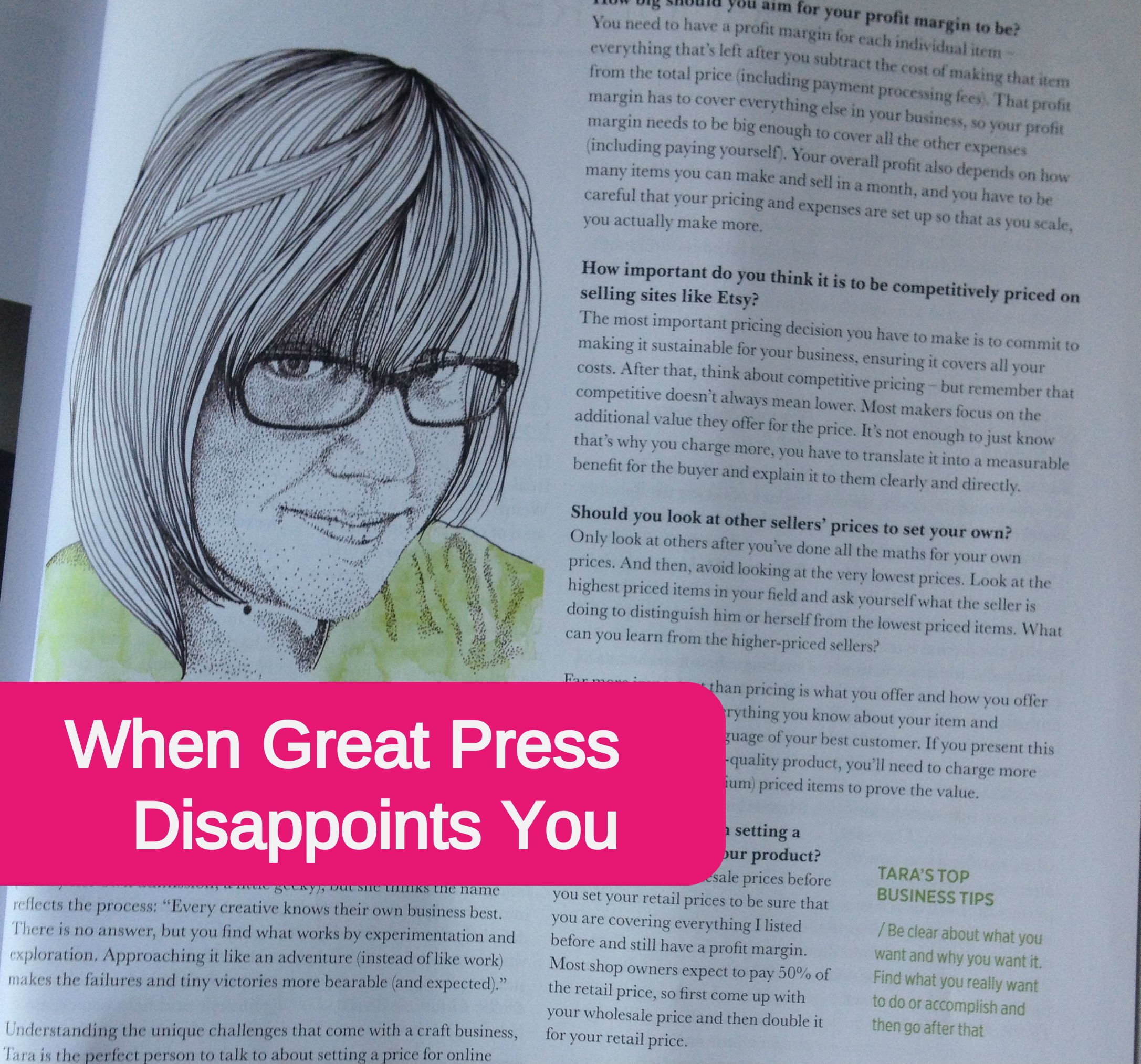
PS. The above photo is from my feature in Crafty Magazine, in the June/July 2013 issue. It was a 4 page spread with an interview and photos and an illustrated headshot…and due to a printing error 2 of the pages are just completely missing. So even though it was a huge honor to be asked, the actual article makes little sense with a big gaping hole in the middle. (I'm not sure if the printing error is the reason, but this is the only issue that I can't find at any bookstore.)
Every day is an adventure. I share the view, the gratitude and the news on Fridays – you’re invited to join in. You can find all my adventures here, or follow along via email here.
Read this:
Inspired by this:
I've been falling in love with rainbow-y sampler-y quilts.
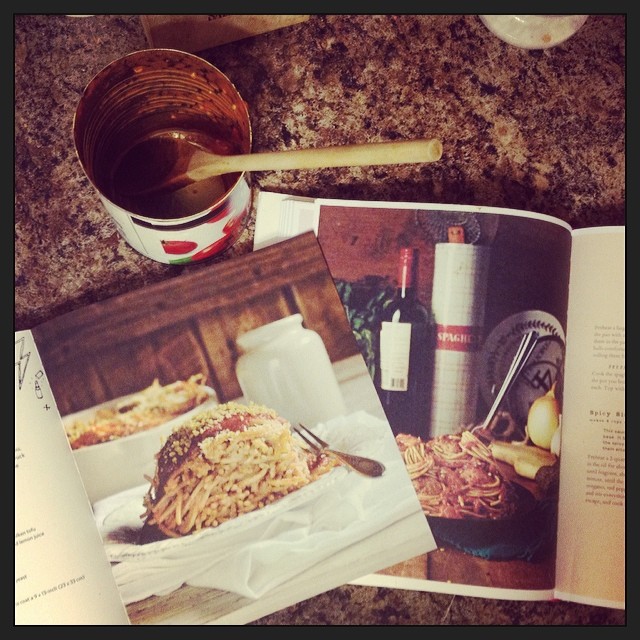
Recipes we tried
I follow my enthusiasm by reading…a lot. And once a month, I share (some of) the books I read last month and the books I intend to read this month. You can join the informal book club by sharing your own list in the comments and find all the posts here.
Snow days are great for reading! I got through so much during the very short February!
$100 Start-up by Chris Guillebeau. As I hoped, this is going to the top of my to-recommend list for those where-to-start questions. This is for you IF you're not sure how to get started. IF you are seriously excited to start a business. Even though I'm 8 years past “start-up”, I still learned stuff – I used the Launch Checklist while opening Pay Yourself (and had my biggest class launch ever!)
Money: A Love Story, by Kate Northrup. In preparation for leading Pay Yourself, I wanted to read up on some of the emotional side of money. This book is a good look at the emotional stuff, particularly if you're afraid to get started.
No Meat Athlete , by Matt Frazier. If you're not sure where to start with eating more healthily, this book's first half is GREAT. Not only does he give you the knowledge of nutrition you might be missing, he really focuses on habit change. Because it's not just about knowing the thing to do, it's about doing it.
If You Can Talk, You Can Write, Joes Saltzman. The title says it all! I used the prompts to keep up with my 1,000 words a day and found myself quoting it to the writing-scared.
The Signature of All Things, by Elizabeth Gilbert. I wasn't sure if I liked this novel, but I kept going (and it's huge!). I enjoyed it, but didn't love it.
Fuzzy Nation, by John Scalzi. Read this sci-fi classic (it is a classic right? It should be!) in one long weekend. Fun!
Slow Motion by Danie Shapiro.
Knowing your Value, by MikaBrzezinski. Another Pay Yourself-inspired read, and it came just at the the perfect time -I've been helping one of my clients double her rates.
Ready Player One, by Earnest Cline.
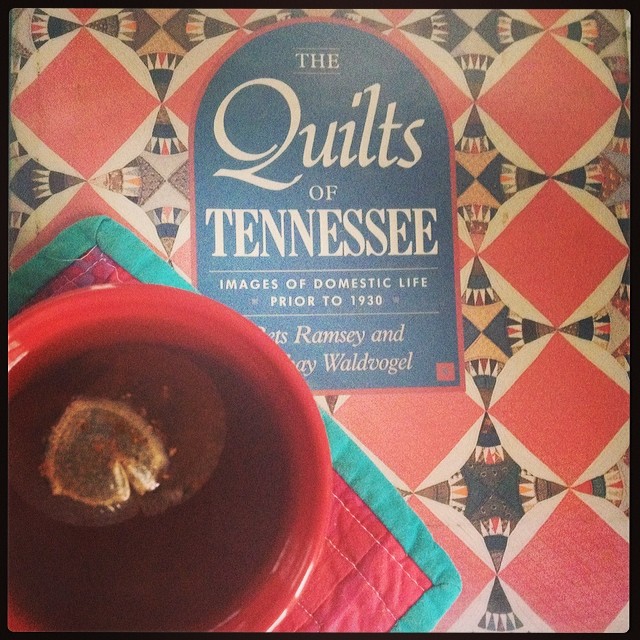
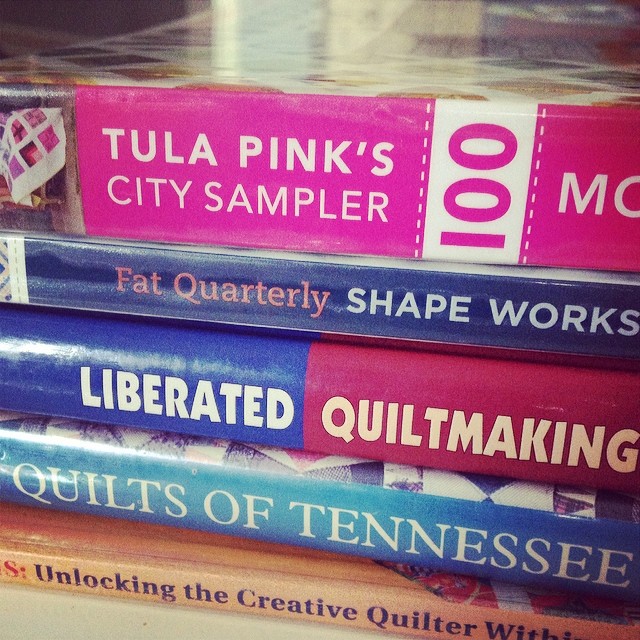
A pile of quilt books, including Word Play, The Quilts of Tennessee,and Tula Pink's City Sampler.
Disclaimer-y Disclaimer! Or course I’m biased when my friends write a book, but I don’t mention things I don’t like. Read the usual disclaimer here.
I can't say enough how overwhelmingly grateful I am to be doing this work + to be helping gorgeous, generous business ladies rock their own art. Group hug!
Listen to this:
What were your adventures this week?
There's no denying that customer interaction – having real conversations with my customers (or potential customers) and using what I learn about what they need – is the cornerstone of my business. So when Abby asked Stacey and I to join her in writing about customer interaction, I was delighted! Be sure to scroll down for your free worksheet and to find the links to the rest of the posts in the series.
This what everyone wants!
Sadly, there's no one-size-fits-all solution. This is an iterative process and it will likely change as your business changes. It's unlikely that exactly what works for me will work for you.
But you can, through experimentation, discover what works for you and adapt it as you change.
1. Identify the purpose it serves.
One of my personal pet peeves is when makers judge the health of their business by their blog comments. The two things have nothing to do with each other. Social media makes it easy for us to measure metrics that don't matter. So instead of being distracted by numbers that don't matter, start (as always) with what you want:
Do you want to get feedback on a prototype?
Do you want to discover their favorite color?
Do you need help naming your newest project?
Do you need to get to know them and their needs better so you can improve your offerings?
2. Make it all about them.
Now that you know what you want, translate it into the benefit for your people. If they take your survey or reply to your email or share your tweet…what's in it for them? Now, you don't have to give an actual physical product – you only have to explain that their feedback really matters. For example, perhaps I'll take your survey, because you let me know it will affect the kind of products you create. Perhaps I share your tweet, because it helps me serve my own audience.
If interacting with you is useful, entertaining or interesting, it'll be an easy decision.
3. Make it easy for them.
You can make it easy in two ways:
–Make a clear ask. Be crystal clear in what action you'd like them to take, don't just hope that they'll guess at it. (We talked more about this in Abby's podcast.)
– Go where they are. I like sending emails and asking for replies because I know my people are already in their inbox. Very few people hang around all day on blogs, or comment on many blogs, so that's not easy for them. If you're people are on Facebook, ask them to interact with you there. If they're on Twitter, ask them questions.
And this goes the other way – if you serve a local audience that's not on social media, don't try to engage there. Invite them into your shop for a free tasting, offer classes, or go where they are and chat with them there.
Remember: it's normal for this to take a while to figure out! Give every new experiment a while to work out before you decide if it's working or n
I created a free worksheet to help you start improving your customer interaction today. Download the Customer Interaction Worksheet by clicking here and saving it to your computer.
Learn more
For more strategies on increasing customer engagement, read the other posts in this series by Abby and by Stacey.
Pay Yourself closes TONIGHT. Sign up here before 9pm tonight, Friday, 2/21.